What this form asks
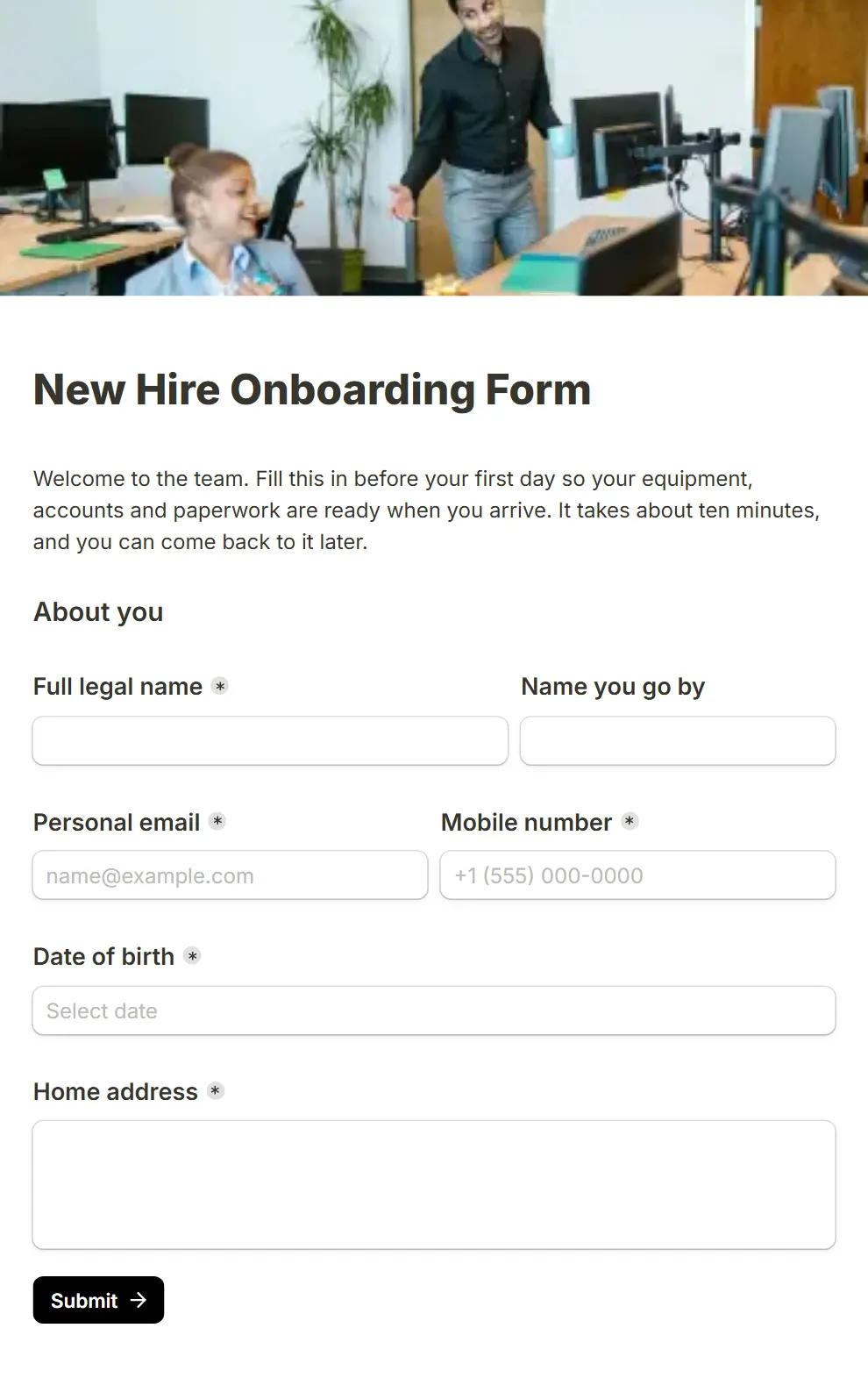
23 questions over 5 pages, 13 of them required. Some questions appear only after an answer that needs them.
- Full legal nameShort answer · required
- Name you go byShort answer
- Personal emailEmail · required
- Mobile numberPhone number · required
- Date of birthDate · required
- Home addressLong answer · required
- Emergency contact nameShort answer · required
- RelationshipShort answer
- Emergency contact phonePhone number · required
- Job titleShort answer · required
- Department or teamShort answer · required
- Your managerShort answer
- Start dateDate · required
- Where will you mostly work?Single choice · required
- Where should we send your equipment?Long answer
- Laptop preferenceSingle choice
- What else will you need?Multiple choice
- Systems you will need access toMulti-select
- Any adjustments that would help you work well?Long answer
- A fun fact for your team introductionShort answer
- I have read and agree toMultiple choice · required
- SignatureSignature · required
- Date signedDate
Welcome to our New Hire Onboarding Form template page. This easy-to-adapt, user-friendly template can be put into use right away. The form aims to help you collect essential details from your new hires, ensuring a smooth and effective onboarding process.
New Hire Onboarding Form Use Cases
A New Hire Onboarding Form is an essential tool deployed by HR departments and organizations to obtain necessary information from new hires. Here are its primary uses:
- Employee Information Collection - The form collects essential details about the new hire such as their contact information, emergency contacts, and other personal data.
- Role Understanding - It can include information about the new hire's role and job description, ensuring that the employee is fully informed and confirmative of their responsibilities.
- Policy Acknowledgement - The form can make sure the new hire acknowledges their understanding and acceptance of company policies and procedures.
- Equipment and Access Requirement - It helps identify what equipment or system access the new employee might need to perform their job.
- Onboarding Process Tracking - The form aids in tracking the progress of the onboarding process, ensuring all key steps have been completed.
By utilizing a New Hire Onboarding Form, you ensure an efficient onboarding process, making the new employee feel welcome and adequately supported in their new role.
How to Use
1. Use the Template - Click on the "Use this template" button to make a copy of this New Hire Onboarding Form. You can then personalize it based on your specific onboarding needs.
2. Customize the Form - Add, adjust, or remove fields as necessary. Consider sections for individual details, role description, policy acknowledgement, and any specific area that caters to your organization's onboarding process.
3. Share the Form - Once the form is customized to your needs, share it with the new hires. They can competently complete it with their information and acknowledgements, which will provide you with all the necessary details to facilitate their onboarding process.
4. Examine the Information - After receiving the filled-in forms, review the collected information. Utilize these details to facilitate the onboarding process, provide necessary equipment, assign roles, and introduce the new employee to the team and workplace.
This New Hire Onboarding Form template is a critical resource for systematically managing the onboarding of new employees. By using this form, you can ensure all key information is collected and examined, resulting in a smooth and supportive onboarding experience.
Frequently asked questions
How do I use the New Hire Onboarding Form template?
Simply click the "Use this template" button to create a copy of the form that can be customized to suit your onboarding needs.
Can I customize the New Hire Onboarding Form template?
Absolutely! You can add, remove, or modify fields as required to match your specific onboarding process and requirements.
How do I share the form with new hires?
After customization, you can share this form with new hires via their provided email, a shared link, or directly through your company's HR platform.
Does the form capture all necessary information for onboarding?
Yes, with appropriate modifications, this form can capture all crucial onboarding information such as personal details, understanding of the role, policy acknowledgement, and needs for equipment or system access.
How should I use the form responses I receive?
The gathered information can be used to plan and execute a comprehensive onboarding process, provide necessary resources, acknowledge role duties, and assimilate the new hire into the workplace. It facilitates a supportive and smooth start for the new employee.