What this form asks
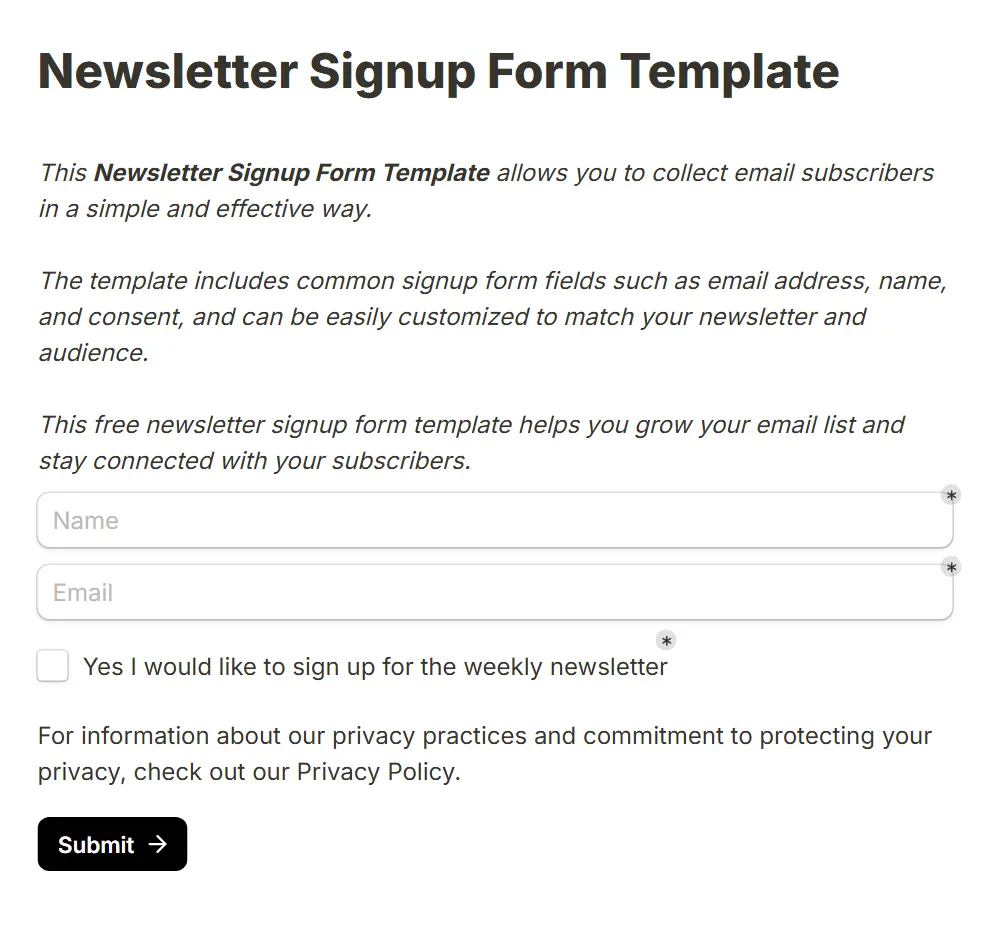
3 questions over 2 pages, 3 of them required.
- NameShort answer · required
- EmailEmail · required
- Newsletter opt-inMultiple choice · required
This newsletter signup form asks for three things: a name, an email address and the reader's consent to receive the newsletter. Short enough to sit in a sidebar or at the end of a post, it turns a reader into a subscriber in a few seconds.
What the form covers
The reader types their name and email and ticks the newsletter opt-in, which records that they agreed to be emailed. All three are required, so every signup you collect carries that consent. The form ends on a thank-you page that you can rewrite to say what they will receive and how often.
Who uses a newsletter signup form
- Writers, creators and blogs growing an email list.
- Shops and brands collecting subscribers for offers and launches.
- Clubs and non-profits keeping members up to date.
How to use this template
- Use the template. Click "Use this template" to copy the form into your workspace.
- Write the opt-in. Change the opt-in text to say what you will send and how often.
- Put it on your site. Publish the form and embed it on your site, or link to it from your social profiles.
Frequently asked questions
Can new subscribers go to my email tool?
A webhook sends each new signup to an address you choose, which an email marketing or automation tool can receive.
Can I send a welcome email?
Yes. A respondent email notification sends each subscriber a message when they sign up.
Can I ask about interests?
Yes. Add a multiple choice question for topics, and use the answers to sort your list.