What this form asks
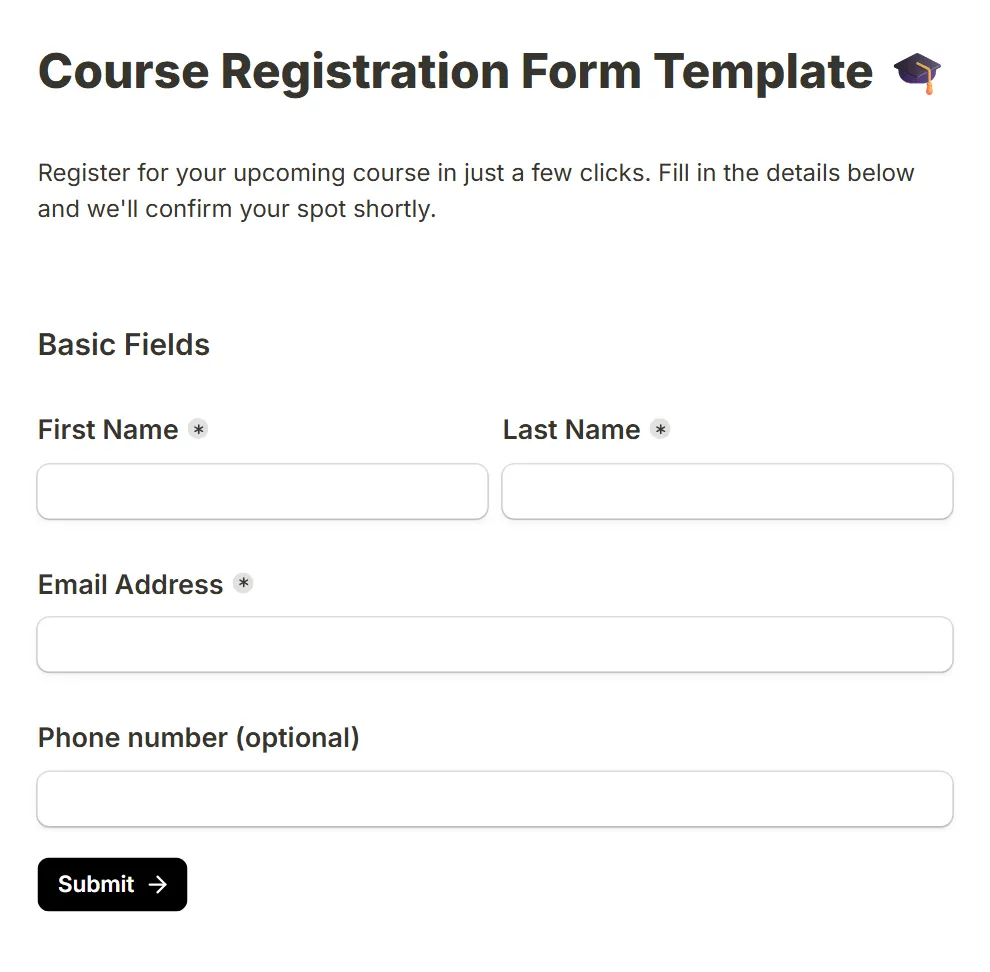
8 questions over 5 pages, 6 of them required.
- First NameShort answer · required
- Last NameShort answer · required
- Email AddressEmail · required
- Phone number (optional)Phone number
- Which courses are you registering for?Multi-select · required
- Do you have any prior experience with this topic?Dropdown · required
- What are you hoping to learn or achieve wtih this course?Long answer · required
- Any questions or special requests?Long answer
This course registration form enrols a student in one or more courses and asks what the teacher needs to know before the first class: how much experience they already have and what they want to get out of it. It runs over five pages and takes a few minutes to fill in.
What the form covers
The student gives their first and last name, email address and, optionally, a phone number. They then pick the courses they are registering for from a multi-select list, say how much prior experience they have with the subject, and describe what they hope to learn or achieve. A last question leaves room for questions or special requests, such as access needs or a schedule conflict.
Who uses a course registration form
- Training providers and online course creators enrolling students into several courses at once.
- Schools, colleges and community centres taking sign-ups for evening or short courses.
- Teachers and coaches who want to know a group's level before planning the first lesson.
How to use this template
- Use the template. Click "Use this template" to copy the form into your workspace.
- List your courses. Replace the courses in the multi-select with yours, and add dates or prices to each option's label if they differ.
- Share it. Publish the form and link it from your course page, or embed it there.
Frequently asked questions
Can a student register for more than one course?
Yes. The courses question is a multi-select, so a student can pick as many as they need in one registration.
Can I ask for different details per course?
Yes. Add questions for a course and use conditional logic to show them only to students who picked it.
Where do the registrations go?
Each registration is listed in the form's Submissions tab, and the Insights tab counts how many students chose each course.