What this form asks
28 questions over 6 pages, 14 of them required. Some questions appear only after an answer that needs them.
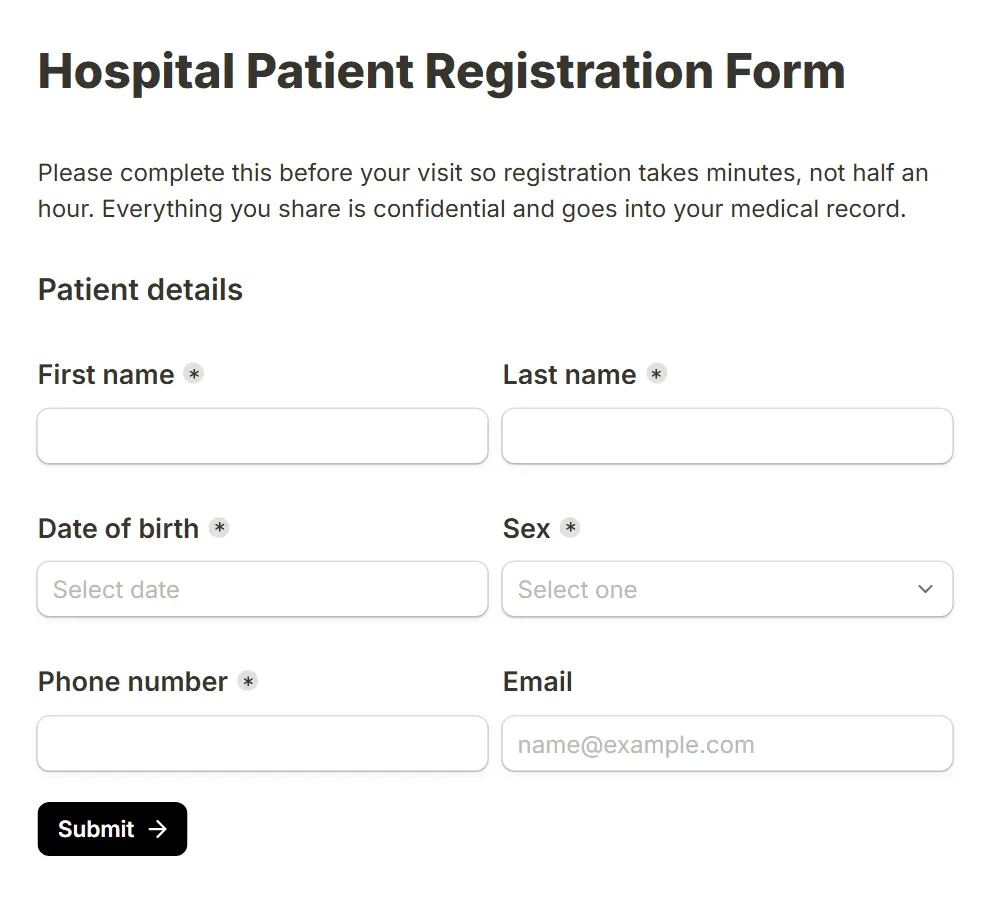
- First nameShort answer · required
- Last nameShort answer · required
- Date of birthDate · required
- SexDropdown · required
- Phone numberPhone number · required
- EmailEmail
- Home addressLong answer · required
- Do you need an interpreter?Single choice
- Which language?Short answer
- Emergency contact nameShort answer · required
- Relationship to youShort answer · required
- Emergency contact phonePhone number · required
- Family doctor or primary care physicianShort answer
- Their phone numberPhone number
- How will your care be paid for?Single choice · required
- Insurance providerShort answer
- Policy or member numberShort answer
- Policyholder's name, if not youShort answer
- Photo of your insurance card, front and backFile upload
- Reason for your visitLong answer · required
- Do you have any of these conditions?Multiple choice
- Medicines you take nowLong answer
- Do you have any allergies?Single choice · required
- What are you allergic to, and what happens?Long answer
- Dietary, religious or accessibility needsLong answer
- Please confirm each statementMultiple choice · required
- Signature of patient or guardianSignature · required
- Date signedDate
Welcome to our Hospital Patient Registration Form template page. This form is intuitively designed for immediate usage, aiming to streamline the patient registration process at your medical facility. It captures vital details such as patient's contact information, emergency contact, medical history, and insurance details, ensuring seamless registry and record-keeping. You can always customize this form to incorporate any extra specific details needed for your facility's process.
Hospital Patient Registration Form Use Cases
A Hospital Patient Registration Form is a crucial document used in healthcare facilities to capture patient information and medical needs. Here are its primary uses:
1. Patient Identification and Contact Information - These forms gather vital data such as patient's name, address, date of birth, and emergency contact information.
2. Medical History and Current Medication - Understanding a patient's past and present health conditions and medications helps healthcare providers formulate effective treatment plans.
3. Insurance Information - Crucial for processing healthcare claims, these forms collect pertinent data about a patient’s medical insurance.
4. Consent and Agreement - These forms provide an opportunity for patients to acknowledge and consent to hospital policies, ensuring legal and procedural compliance.
5. Primary Care Physician Details - To coordinate care, especially in emergency or specialty cases, contact details of a patient's primary care physician are often collected.
6. Special Requests and Preferences - This can include religious-based or dietary needs, interpreter services, or any other specific care requirements.
How to Use
1. Use the Template: Click on the "Use this template" button to make a copy of this "Hospital Patient Registration Form". You can then adjust the form to better suit your facility's requirements.
2. Customize the Form: You may want to add, subtract, or revise fields according to your needs. This could include sections for specific medical condition information, patient's primary physician, consent forms, etc.
3. Distribute the Form: Once you've tailored the form to your satisfaction, distribute it among your patients. They can fill it out with the necessary information prior to their visit, boosting efficiency and reducing waiting time.
4. Analyze the Responses: After the form has been filled and submitted by the patient, review the data and properly input it into the patient's electronic health record for future reference.
The "Hospital Patient Registration Form" template simplifies patient registration and serves as a valuable resource for both patients and healthcare providers, allowing for well-organized and efficient patient management.
Frequently asked questions
How do I use the Hospital Patient Registration Form template?
To get started, click the "Use this template" button and a copy of the form that you can tailor to your specifications will be created.
Can I customize the Hospital Patient Registration Form template?
Certainly! Feel free to add, remove, or adjust fields as needed to make them align with your hospital's specific patient registration process.
How do I distribute the form among patients?
After personalizing the form, distribute it to your patients via email, a shared link, or directly through your hospital registration platform.
Can the form be filled out anonymously?
Typically, for patient registration, identifiable information is necessary for proper patient management and medical record keeping. Hence, anonymous filling isn't usually applicable.
How should I handle the patients' responses?
Use the responses to update the patient’s electronic health record, make necessary preparations based on their medical history, and improve the overall efficiency of your hospital's patient management system.