What this form asks
14 questions over 15 pages, 12 of them required. Some questions appear only after an answer that needs them.
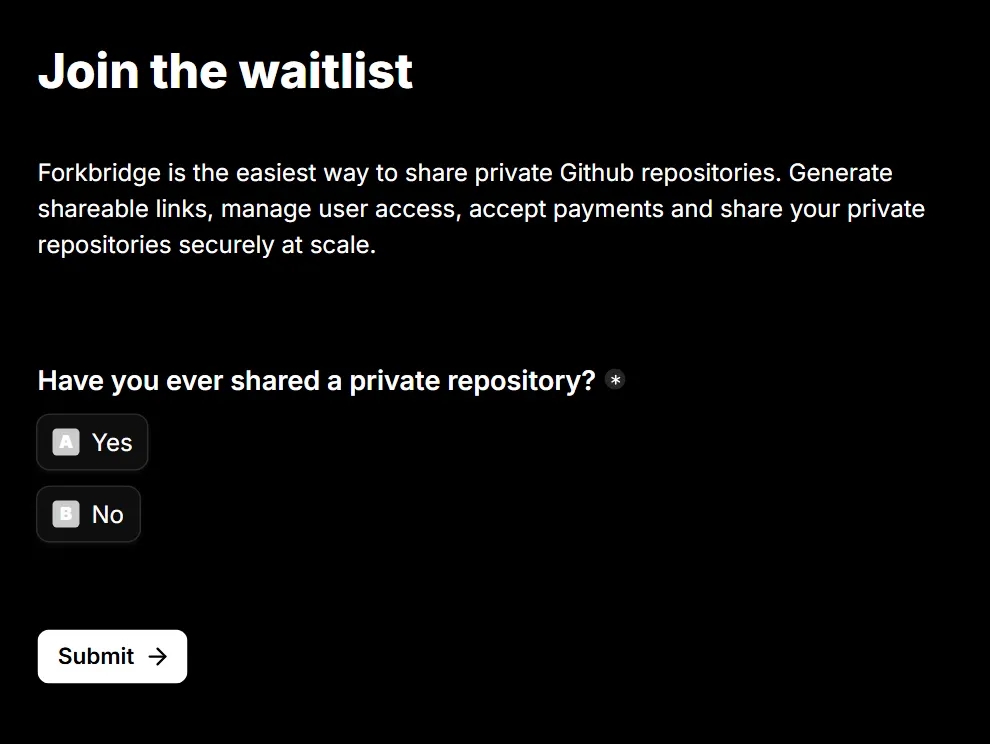
- Have you ever shared a private repository?Single choice · required
- How did you share it?Multi-select · required
- How many private repositories are you likely to share?Single choice · required
- Who will you share private repositories with?Multi-select · required
- Are these repositories for work or personal projects?Single choice · required
- Are you a software engineer?Single choice
- Product manager, designer, etc.Short answer · required
- What features of Forkbridge interest you the most?Multi-select · required
- Where did you hear about Forkbridge?Single choice · required
- What's your age range?Single choice · required
- What country are you based in?Dropdown · required
- What's your name?Short answer · required
- What's your email?Email · required
- 555-0100Phone number
This waitlist form signs people up for a product before it launches and learns who they are while it does. It is written for a fictional developer tool, Forkbridge, that shares private code repositories: replace the product name and the questions about repositories with your own product's, and keep the shape. Logic skips the questions that do not apply, so each person sees only their path through the form.
What the form covers
The first pages qualify the signup: whether they have done the thing your product helps with, how they did it, how often they would, who with, and whether it is for work or personal use. Then their role, the features that interest them most, where they heard about the product, their age range and country. The last page asks for their name, email and an optional phone number.
Who uses a waitlist form
- Startups validating demand before launch and choosing who to invite first.
- Product teams opening a beta to a limited group.
- Shops taking sign-ups for a product that is out of stock or not yet released.
How to use this template
- Use the template. Click "Use this template" to copy the form into your workspace.
- Make it your product. Replace "Forkbridge" and the repository questions with questions about your own users' problem.
- Share it. Publish the form and embed it on your landing page.
Frequently asked questions
Why does the form ask questions before the email?
Asking what someone needs first tells you who to invite first; the email comes last because by then the person has decided to sign up.
Can I make the waitlist shorter?
Yes. Delete the qualifying pages and keep the name and email for a one-step waitlist.
Can signups go to my email tool?
A webhook sends each new signup to an address you choose, which an email or automation tool can receive.