What this form asks
18 questions over 4 pages, 8 of them required. Some questions appear only after an answer that needs them.
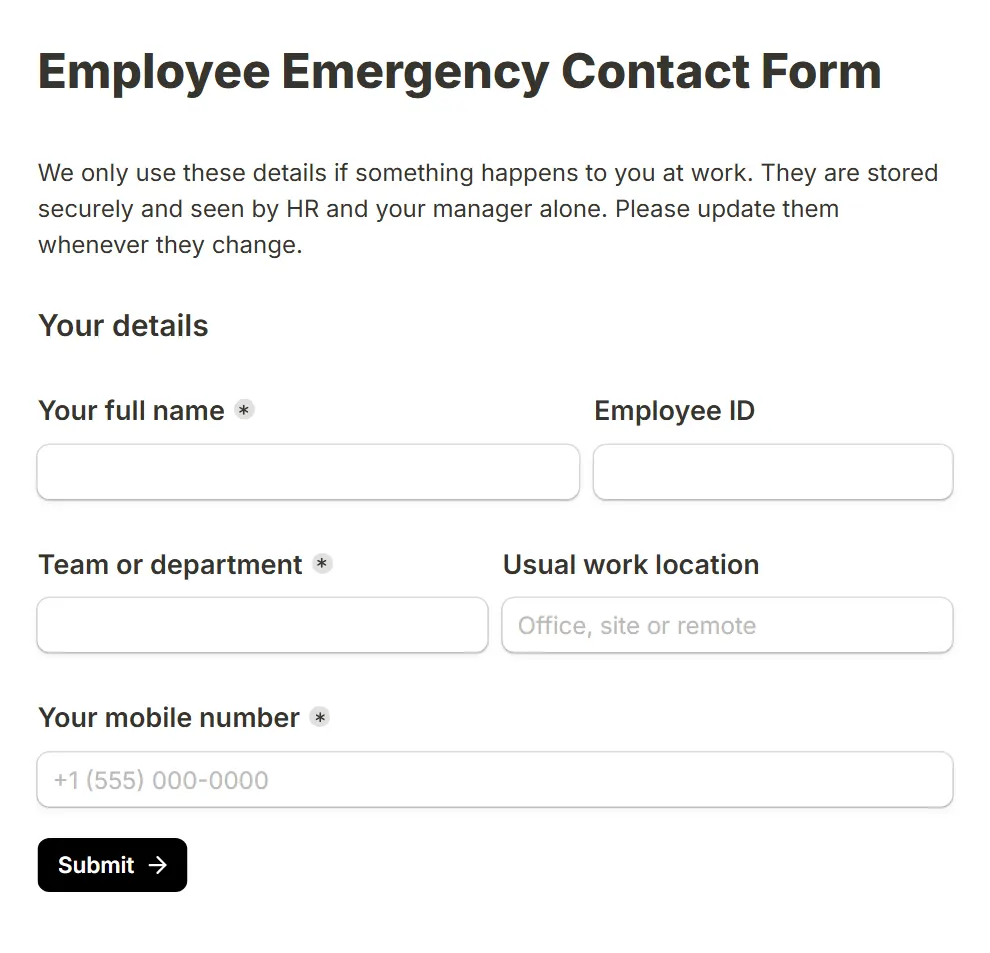
- Your full nameShort answer · required
- Employee IDShort answer
- Team or departmentShort answer · required
- Usual work locationShort answer
- Your mobile numberPhone number · required
- Contact's full nameShort answer · required
- Relationship to youDropdown · required
- Contact's main phonePhone number · required
- Contact's other phonePhone number
- Contact's emailEmail
- Would you like to add a second contact?Single choice · required
- Second contact's full nameShort answer
- Second contact's relationship to youShort answer
- Second contact's phonePhone number
- Medical conditions or allergiesLong answer
- Medication you carry or take regularlyLong answer
- Doctor's name and phoneShort answer
- ConsentMultiple choice · required
Welcome to our Employee Emergency Contact Form template page. This straightforward, user-friendly template is crafted for immediate use. This form helps in gathering crucial emergency contact information from employees, ensuring you have the necessary details handy in case of an unforeseen situation. It gathers essential information such as employee details and the contact details of their emergency contact person. As always, the form can be customized to correspond with any additional unique features that may be necessary as per your organization's policies.
Employee Emergency Contact Form Use Cases
An Employee Emergency Contact Form is a crucial record in an organization's database. Here's how it is used:
1. Emergency Contact Details - These forms provide the most critical information, namely the employee's emergency contact person's name, relationship to the employee, and contact details.
2. Proactive Planning - The form ensures that the company is prepared in the event of an emergency involving an employee, allowing for immediate contact with the designated person.
3. Employee Safety Assurance - It demonstrates the company's concern for its employees' safety and willingness to communicate with their loved ones in an emergency.
4. Legal Compliance - Ensures compliance with regulations requiring employers to hold such information.
5. Health Information - The form may also include optional spaces for noting important medical conditions, which could be beneficial in a health crisis.
6. Verification Purposes - These forms serve as a verification tool for confirming the employee's own contact details.
How to Use
1. Use the Template: Jump-start the process by clicking on the "Use this template" button to create a derivative version of the "Employee Emergency Contact Form". This copy can then be personalized to meet your company's specific needs.
2. Customize the Form: You can add, remove, or alter fields as needed. For instance, you could include sections for secondary emergency contacts, specific medical information, or an agreement for handling emergencies.
3. Share the Form: Once personalized, share it with your employees. They can then fill it out providing the necessary information for emergency purposes.
4. Analyze the Responses: After the form is filled and submitted, review the received information and keep it securely stored for quick access in case of an emergency.
With our "Employee Emergency Contact Form" template, you can ensure that necessary measures are taken for employee wellbeing and safety. It's essential in maintaining organized data management and proactive emergency preparedness.
Frequently asked questions
How do I use the Employee Emergency Contact Form template?
It's simple- merely click on the "Use this template" button to create a customizable copy of the form.
Can I customize the Employee Emergency Contact Form template?
Absolutely! You can add, remove, or alter fields as necessary to comply with your organization’s specific emergency policies.
How do I share the form with employees?
Once you've customized the form according to your needs, you can share it with your team members via email, a shared link, or directly through your company's internal communication platform.
Can the form be filled out anonymously?
Given the nature of emergency contact data, identifiable information is essential and thus, the form generally can't be filled out anonymously.
How should I use the responses?
The responses should be stored securely and used strictly for emergency situations in line with your company's emergency procedures and policies. Access to this information should be limited to only those who would take action in case of an emergency.