Skip to content

Transform HR Onboarding Using Conditional Logic Forms

Conditional logic turns one onboarding form into the right form for each hire. How to assess your current process, pick a tool, and structure the logic flow.

Traditional onboarding processes can create significant bottlenecks in HR operations. HR teams frequently struggle with manual data entry, redundant paperwork, and frustrated new hires – challenges that directly impact employee retention and productivity.

💡 Expert Insight:
The transformation of onboarding processes through conditional logic forms represents one of the most impactful innovations in HR technology. This approach isn't just about digitization – it's about creating intelligent, responsive systems that adapt to each new hire's unique circumstances.

Understanding Conditional Logic in HR Forms

Let me start with a comprehensive explanation of conditional logic in HR forms.

Understanding Conditional Logic in HR Forms

Definition and Basic Concepts

Conditional logic in HR forms operates on a fundamental "if-then" principle that can revolutionize onboarding processes. Rather than presenting every new hire with identical forms, conditional logic creates dynamic pathways based on their responses.

📌 Pro Tip:
When implementing conditional logic, start with mapping out your most common onboarding scenarios. This helps reduce form completion time while improving data accuracy.

The core components include:

  • Dynamic Field Display: Shows or hides form fields based on previous answers
  • Smart Routing: Automatically directs forms to relevant departments
  • Adaptive Validation: Changes required fields based on role-specific requirements

Benefits of Using Conditional Logic in Onboarding

Several key advantages make conditional logic forms transformative for HR processes:
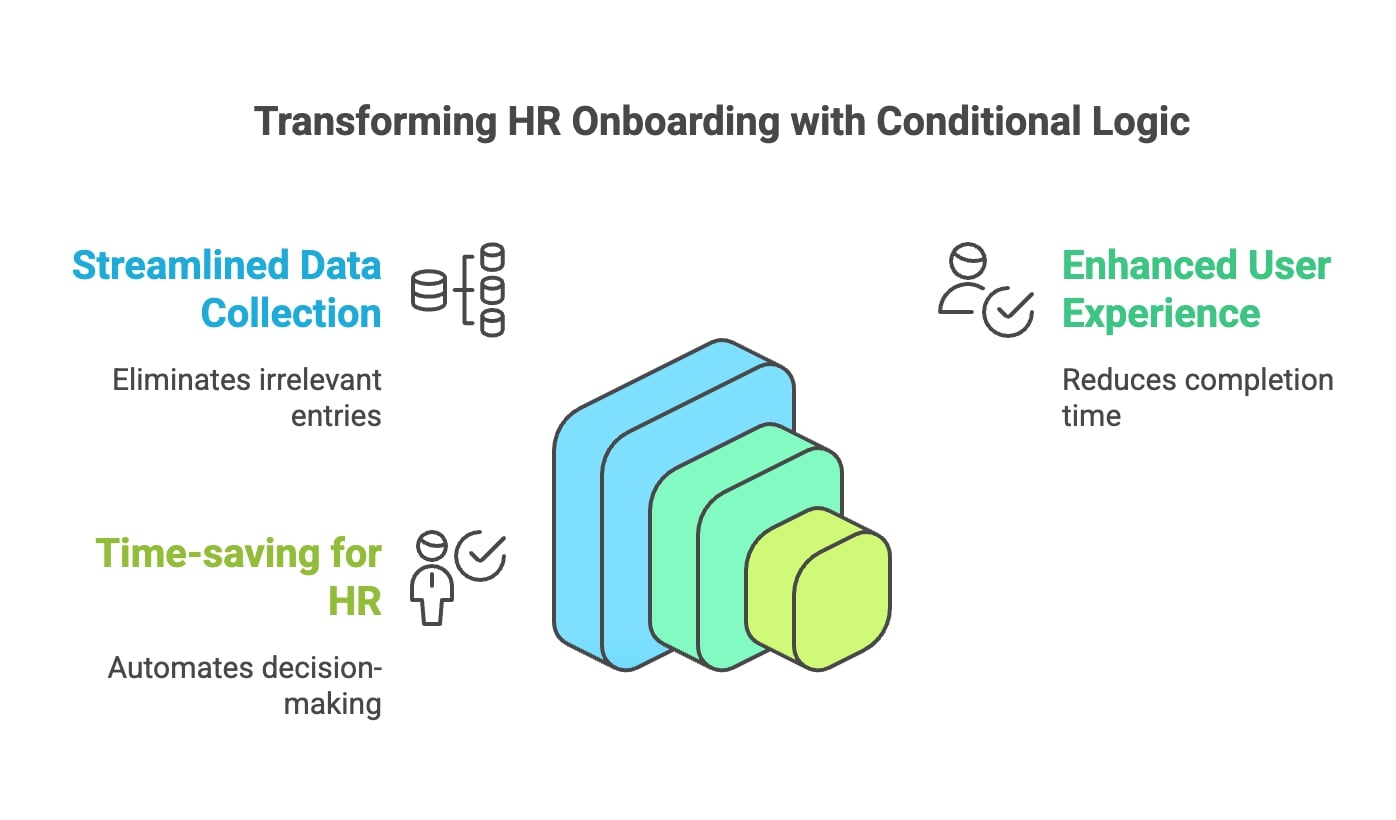
Streamlined Data Collection

  • Eliminates irrelevant field entries
  • Automates data validation in real-time

Enhanced User Experience

  • ⚠️ Warning: Poor onboarding experiences can cause new hires to leave early
  • Reduces form completion time
  • Provides clear, relevant pathways for different roles

Time-saving for HR Professionals

  • Automates routine decision-making
  • Reduces manual data entry and validation time

An image highlighting the integration of conditional logic in the transformation of RB outsourcing processes.

Understanding these fundamentals is crucial for a successful HR technology implementation. The next section will dive deeper into the practical implementation steps, but first, let's ensure you have a solid grasp of these concepts.

Implementing Conditional Logic in HR Onboarding Forms

I'll guide you through the practical aspects of setting up conditional logic in your onboarding forms.

Steps to Get Started with Conditional Logic

Here is a methodology for successful implementation:

📌 Pro Tip:
Before diving into tool selection, spend time mapping your current onboarding workflow. This preliminary step prevents many common implementation issues.
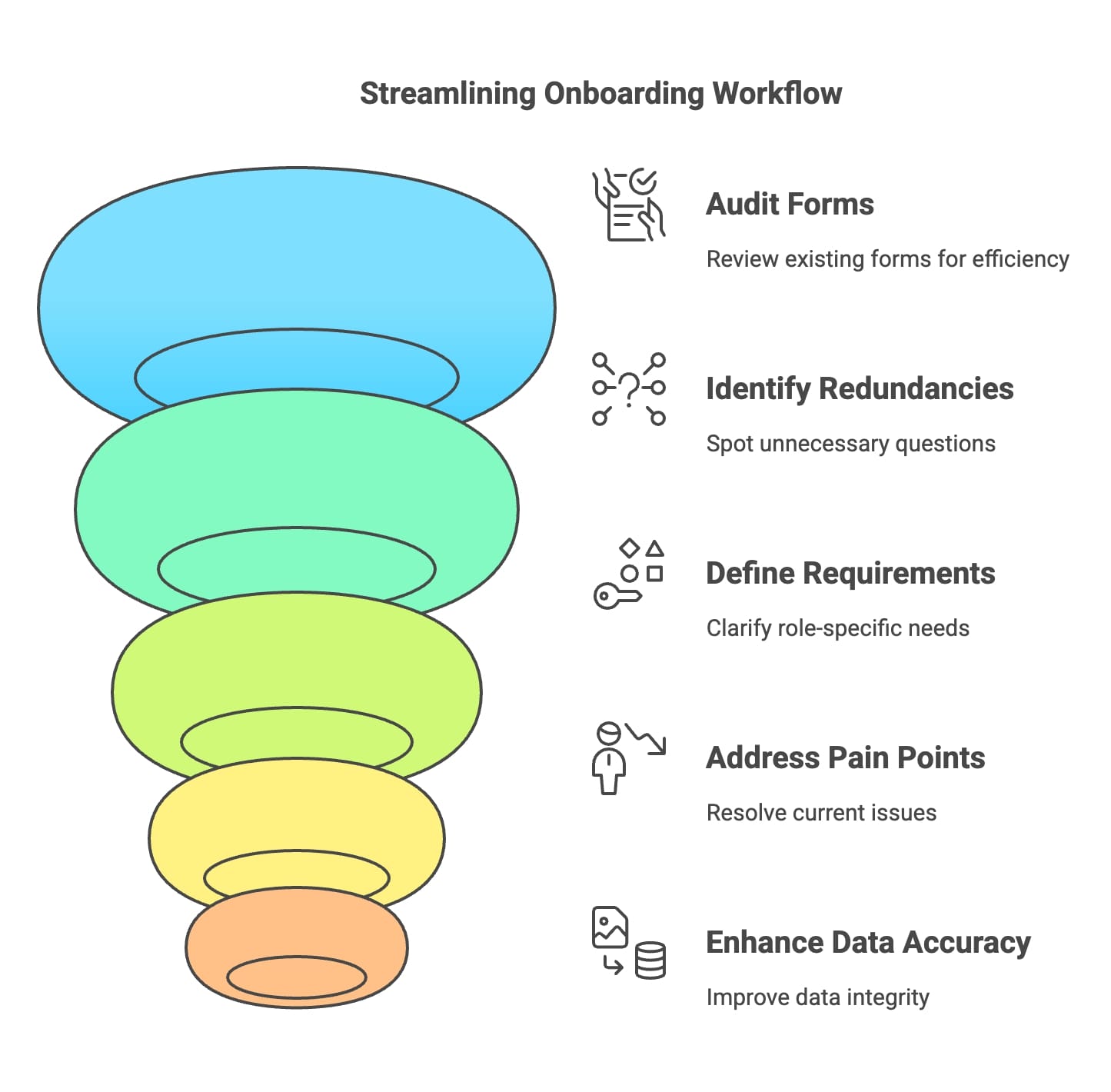
Diagram depicting the funnel stages of the data lifecycle, highlighting processes from data collection to final analysis.

Assessment Phase

  • Audit existing forms and identify:
  • Redundant questions
  • Role-specific requirements
  • Compliance-mandated fields
  • Document current pain points
  • Processing delays
  • Data accuracy issues
  • User feedback

Tool Selection Criteria

💡 Expert Insight:
The right tool should align with these critical factors:

  • Integration capabilities with existing HR systems
  • Scalability for future growth
  • User-friendly interface for HR administrators
  • Mobile responsiveness
  • Security compliance features

Best Practices for Designing Dynamic Forms

These are the essential design principles:
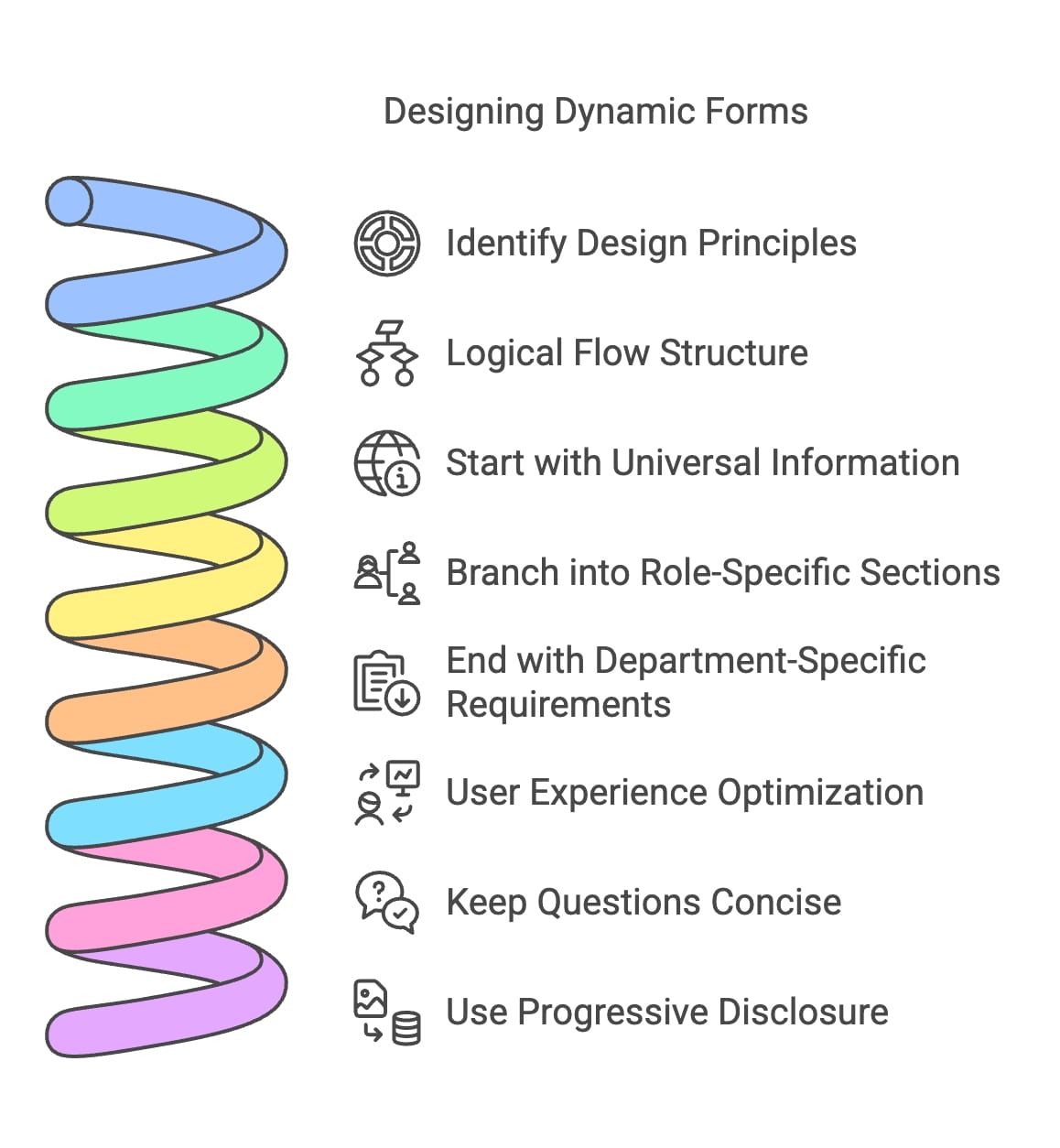
Logical Flow Structure

  • Start with universal information
  • Branch into role-specific sections
  • End with department-specific requirements

User Experience Optimization

  • Keep questions concise
  • Use progressive disclosure
  • Implement save and resume functionality

Diagram illustrating the steps involved in designing dynamic forms, showcasing the workflow and key components.

⚠️ Warning:
Complex branching logic can overwhelm users. I recommend limiting decision points to no more than 3-4 levels deep.

Common Conditional Logic Scenarios

Here are the most effective use cases:

  • Department-specific documentation requirements
  • Role-based training modules
  • Location-dependent compliance forms
  • Experience-level adjustments
  • Equipment and access requirements

Addressing Implementation Challenges

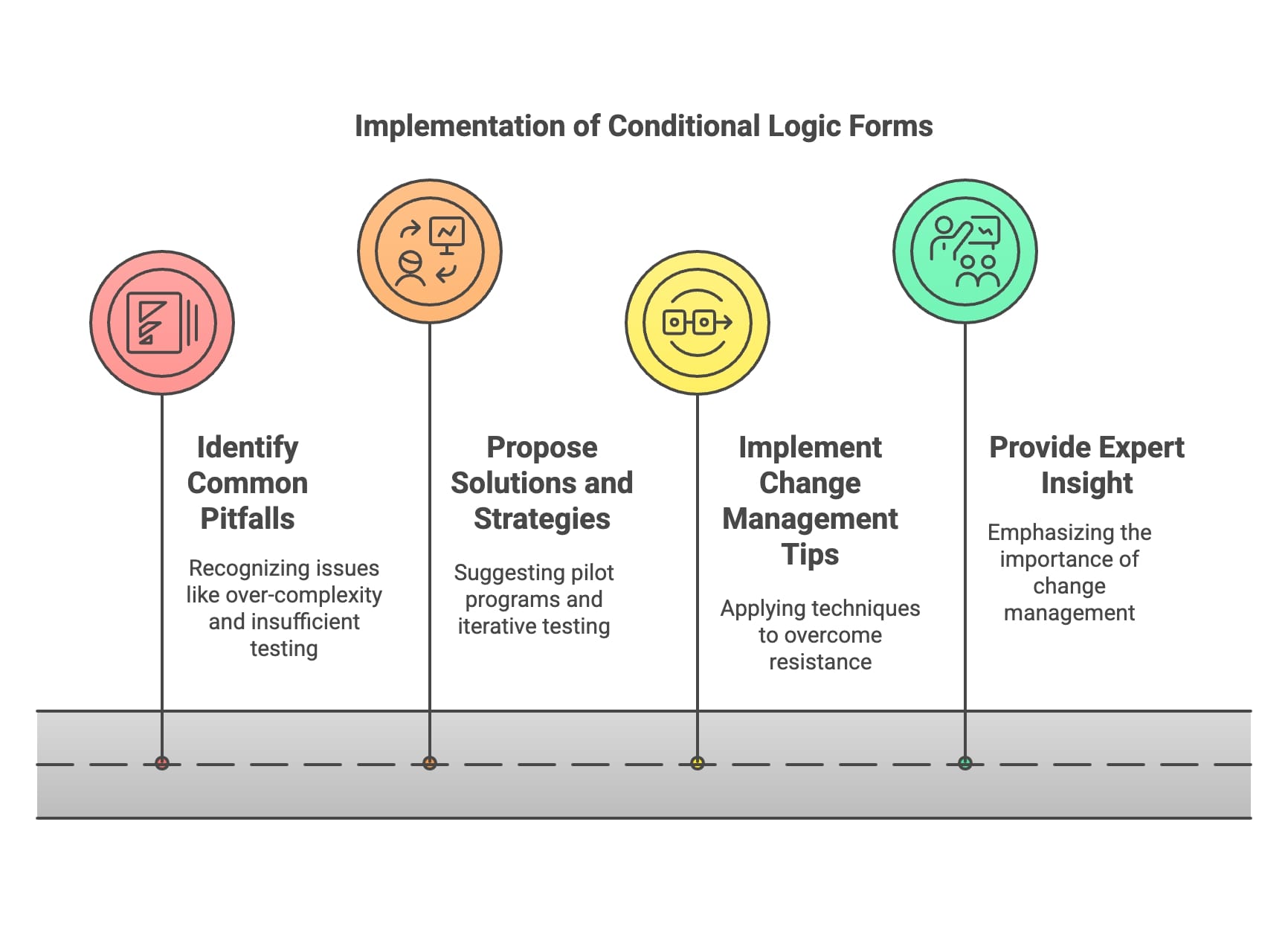
Common Pitfalls

  • Over-complexity in form logic
  • Insufficient testing
  • Lack of user training
  • Poor change management

Solutions and Strategies

Here's how to overcome these challenges:

  • Start with a pilot program
  • Implement iterative testing
  • Provide comprehensive training
  • Gather continuous feedback

Change Management Tips

To overcome resistance:

  • Demonstrate time savings
  • Share success metrics
  • Provide hands-on training
  • Establish support channels

An illustration depicting the implementation of conditional logic forms, highlighting dynamic user input and response features.

💡 Expert Insight:
Success often depends more on proper change management than on the technical aspects. I always recommend allocating at least 30% of your project timeline to training and adoption activities.

Case Studies and Real-World Applications

Here are concrete examples of conditional logic applied to onboarding processes.

Practical Examples in Action

Here are examples from different industries that demonstrate the versatility of conditional logic:

Retail Chain

Implementation Highlights:

  • Multi-location specific requirements
  • Seasonal worker variations
  • Role-based training paths

⚠️ Warning:
Retail implementations require special attention to high turnover scenarios. I always recommend building in extra flexibility for seasonal variations.
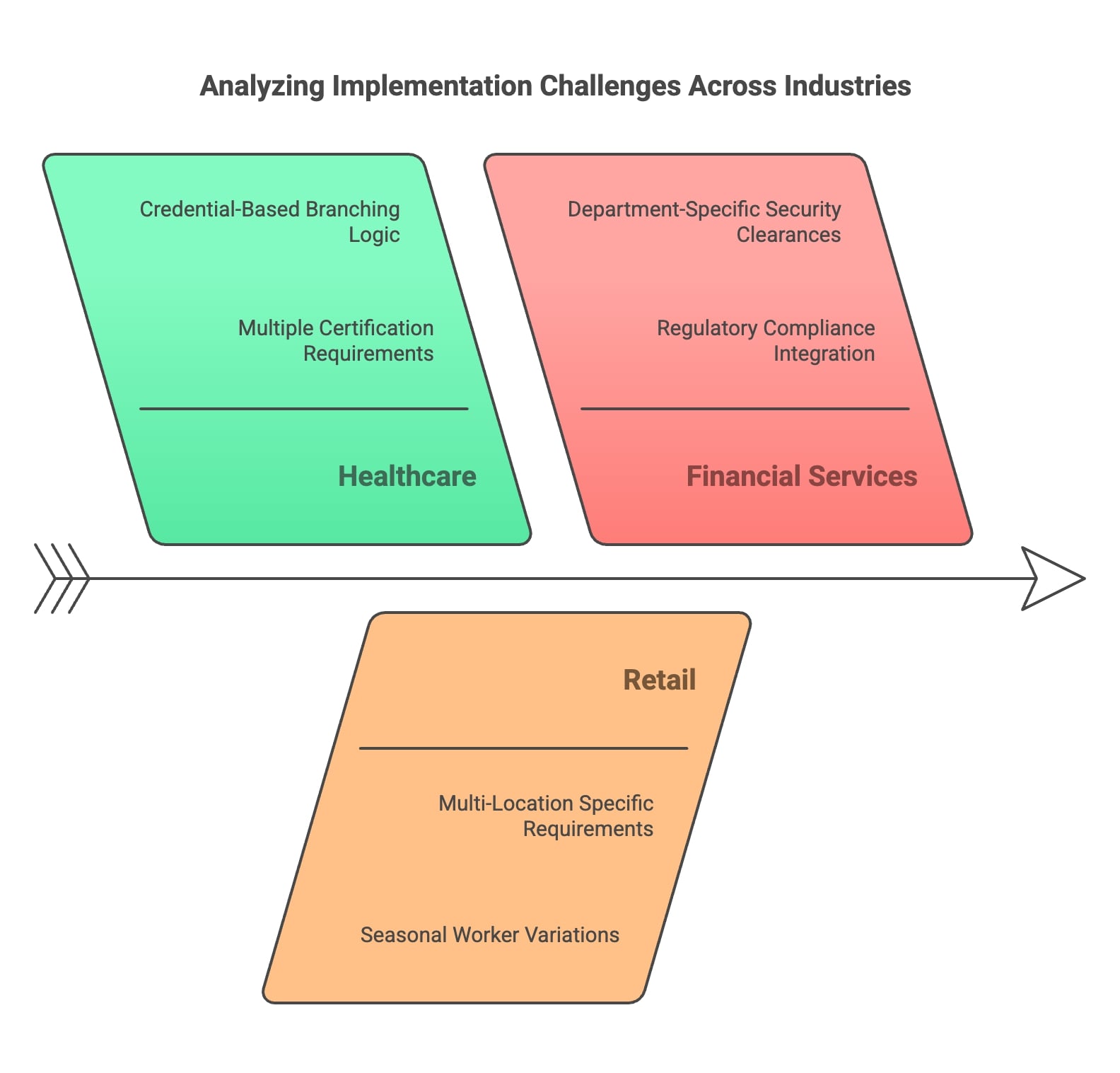
An individual conducting an analysis of implementation challenges faced by different industries, focusing on problem-solving strategies.

Financial Services Firm

Key Features:

  • Regulatory compliance integration
  • Department-specific security clearances
  • Automated background check routing

Visual Process Comparison

Before and After Implementation Flowcharts:

Traditional Process:

  1. Manual form distribution
  2. Static documentation
  3. Manual routing
  4. Multiple follow-ups
  5. Manual data entry

Optimized Process with Conditional Logic:
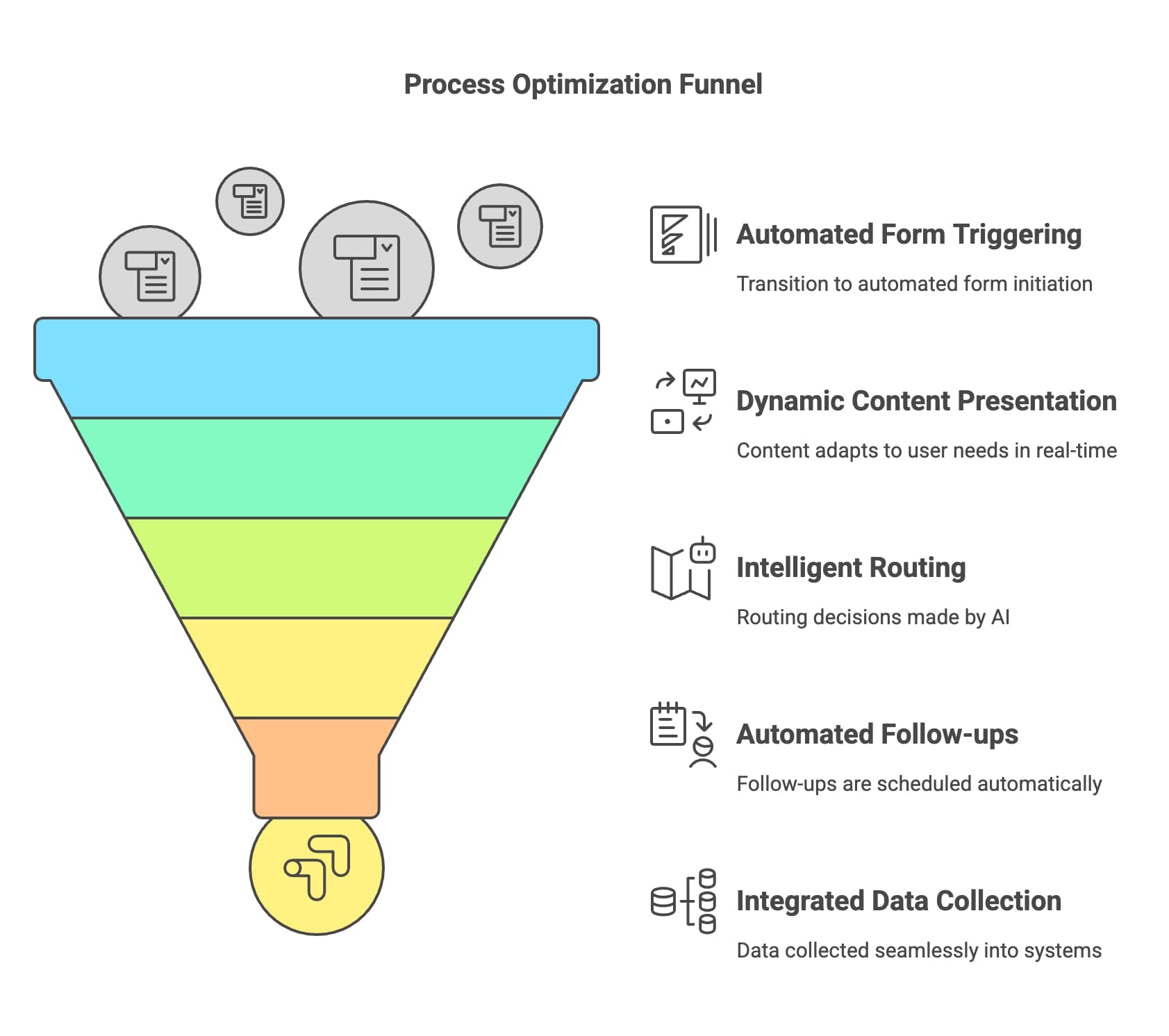
  1. Automated form triggering
  2. Dynamic content presentation
  3. Intelligent routing
  4. Automated follow-ups
  5. Integrated data collection

A visual representation of the process optimization funnel, illustrating stages of improvement and efficiency enhancement.

💡 Expert Insight:
The key to success lies in proper process mapping before building the conditional logic structure. Skipping this step leads to complications later.

📌 Pro Tip:
When implementing similar solutions, I always recommend starting with a pilot group of 50-100 employees to refine the logic before full deployment.

Best Practices Learned:

  • Start with core requirements
  • Build in flexibility for growth
  • Include feedback mechanisms
  • Plan for regular reviews
  • Maintain clear documentation

Enhancing Onboarding with Automation Tools

I'll share my insights on integrating automation tools with conditional logic forms to create a seamless onboarding experience.

Integrating Automation Tools with HR Processes

These tools work exceptionally well with conditional logic:

  • Document Management Systems
  • Automated document generation
  • Digital signature collection
  • Version control
  • Workflow Automation Platforms
  • Process orchestration
  • Task assignment
  • Progress tracking

💡 Expert Insight:
Successful integration depends heavily on selecting tools that complement your existing tech stack. Here's my recommended approach:

Integration Strategy

  • Map data flows between systems
  • Establish API connections
  • Configure automatic triggers
  • Set up error handling protocols

⚠️ Warning:
Trying to integrate too many tools simultaneously often leads to complications. I recommend a phased approach.
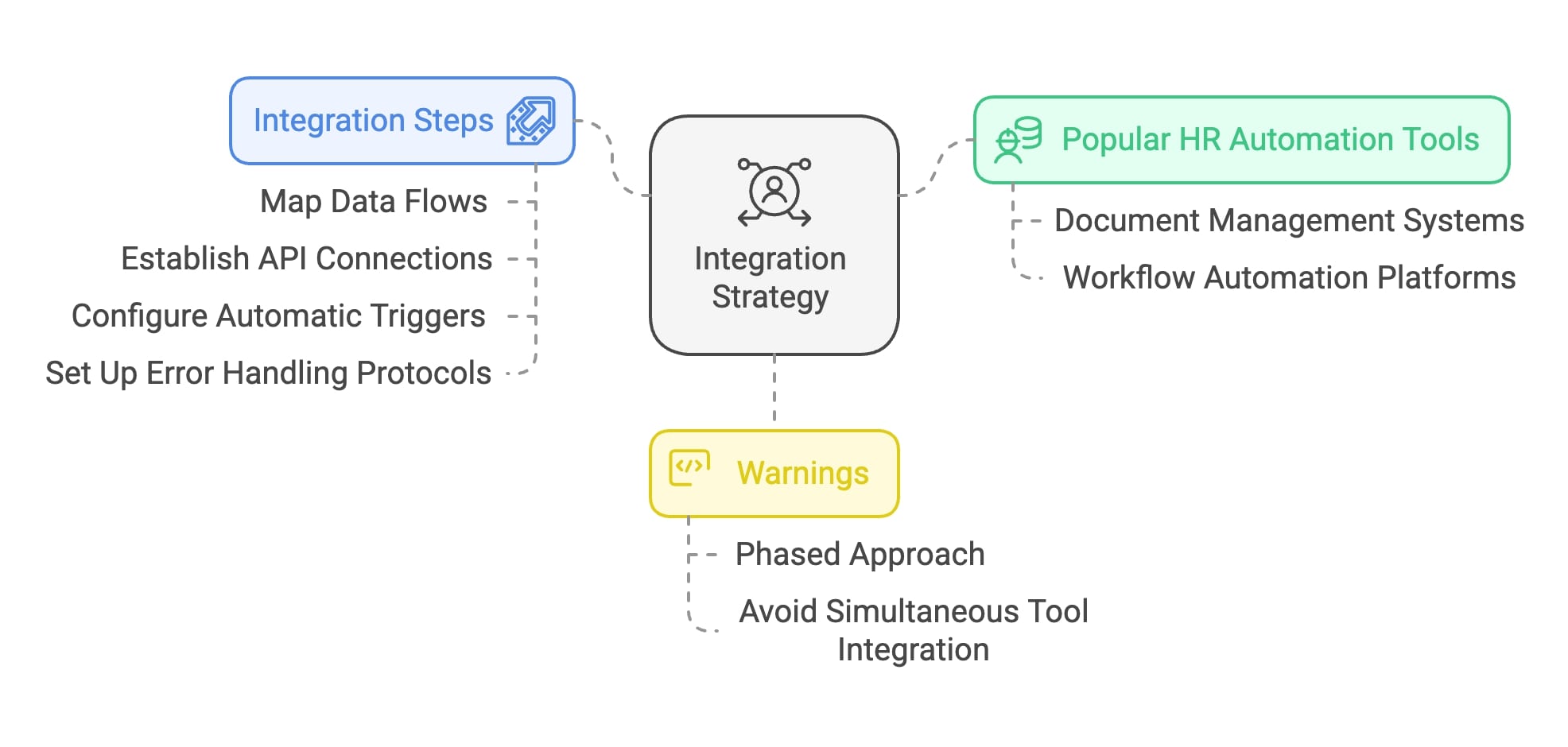
 Visual representation of an integration strategy's components, showcasing essential elements and their relationships.

The Role of Intelligent Form Routing

Intelligent routing is crucial for maximizing efficiency gains.

Automated Workflow Configuration

  • Department-based routing
  • Role-specific approvals
  • Compliance checkpoint integration

Employee Data Collection Optimization

Key Implementation Components:

  • Smart field validation
  • Real-time data verification
  • Automated follow-up triggers

Advanced Routing Features

These features deliver the most value:

Conditional Approval Chains

  • Dynamic approver selection
  • Parallel processing options
  • Escalation protocols

Smart Notifications

  • Context-aware alerts
  • Priority-based messaging
  • Status updates

📌 Pro Tip:
I always recommend implementing a monitoring system to track routing efficiency. This helps identify bottlenecks and optimize workflows continuously.

Integration Success Factors

These elements are crucial:

System Architecture

  • Scalable design
  • Redundancy planning
  • Security protocols

User Experience

  • Intuitive interfaces
  • Mobile accessibility
  • Quick response times

💡 Expert Insight:
Successful automation depends on:

  • Clear process documentation
  • Comprehensive testing
  • Regular maintenance
  • User training programs

Future of HR Process Optimization with Smart Form Logic

I'll share my insights on where conditional logic and HR process optimization are heading.

AI-Enhanced Form Logic

These capabilities are emerging:

Predictive Field Population

  • Smart suggestions
  • Auto-complete optimization
  • Pattern recognition

Natural Language Processing

  • Conversational interfaces
  • Multi-language support
  • Context awareness

💡 Expert Insight:
AI integration is becoming increasingly sophisticated. The most promising developments include:

Advanced Analytics Integration

  • Real-time completion tracking
  • Predictive analytics for bottlenecks
  • Performance optimization insights

⚠️ Warning:
While AI offers exciting possibilities, organizations must balance automation with human oversight, especially in compliance-sensitive areas.

Emerging Technologies

These technologies are showing particular promise:

Blockchain for Documentation

  • Credential verification
  • Secure document storage
  • Audit trail maintenance

Machine Learning Applications

  • Process optimization
  • Anomaly detection
  • Personalization enhancement

Continuous Improvement and Learning

Data-Driven Optimization

My recommended approach for ongoing improvement:

Feedback Loop Implementation

  • User behavior analysis
  • Performance metrics tracking
  • Regular stakeholder input

Process Refinement

  • Workflow optimization
  • Form logic updates
  • Integration enhancements

📌 Pro Tip:
I recommend establishing a quarterly review cycle for your conditional logic rules and workflows. This ensures systems evolve with organizational needs.

Future-Proofing Strategies

These elements are crucial for long-term success:

Scalability Planning

  • Modular design
  • Expansion capability
  • Integration flexibility

Compliance Readiness

  • Regulatory monitoring
  • Update protocols
  • Documentation systems

💡 Expert Insight:
The most successful implementations incorporate:

  • Regular training updates
  • Technology adoption programs
  • Change management strategies

Key Success Metrics

Focus on these metrics for ongoing optimization:

Process Efficiency

  • Completion times
  • Error rates
  • User satisfaction

System Performance

  • Response times
  • Uptime metrics
  • Integration stability

Conclusion

Conditional logic can transform onboarding processes. Let me share the key takeaways.

Key Takeaways

The most critical success factors are:

Strategic Implementation

  • Start with clear process mapping
  • Build scalable solutions
  • Focus on user experience
  • Maintain compliance standards

Technology Integration

  • Choose compatible tools
  • Ensure proper data flow
  • Implement security measures
  • Plan for future growth

💡 Expert Insight:
Success lies not just in the technology itself, but in how it is implemented and maintained.

Call-to-Action

Here's what HR leaders should do next:

Immediate Steps

  • Assess current onboarding processes
  • Identify pain points and bottlenecks
  • Document compliance requirements
  • Evaluate potential solutions

Implementation Planning

  • Set clear objectives
  • Define success metrics
  • Create timeline
  • Allocate resources

⚠️ Warning:
Rushing into implementation without proper planning often leads to suboptimal results. Take the time to build a solid foundation.

Next Steps for Implementation

Here's my recommended action plan:

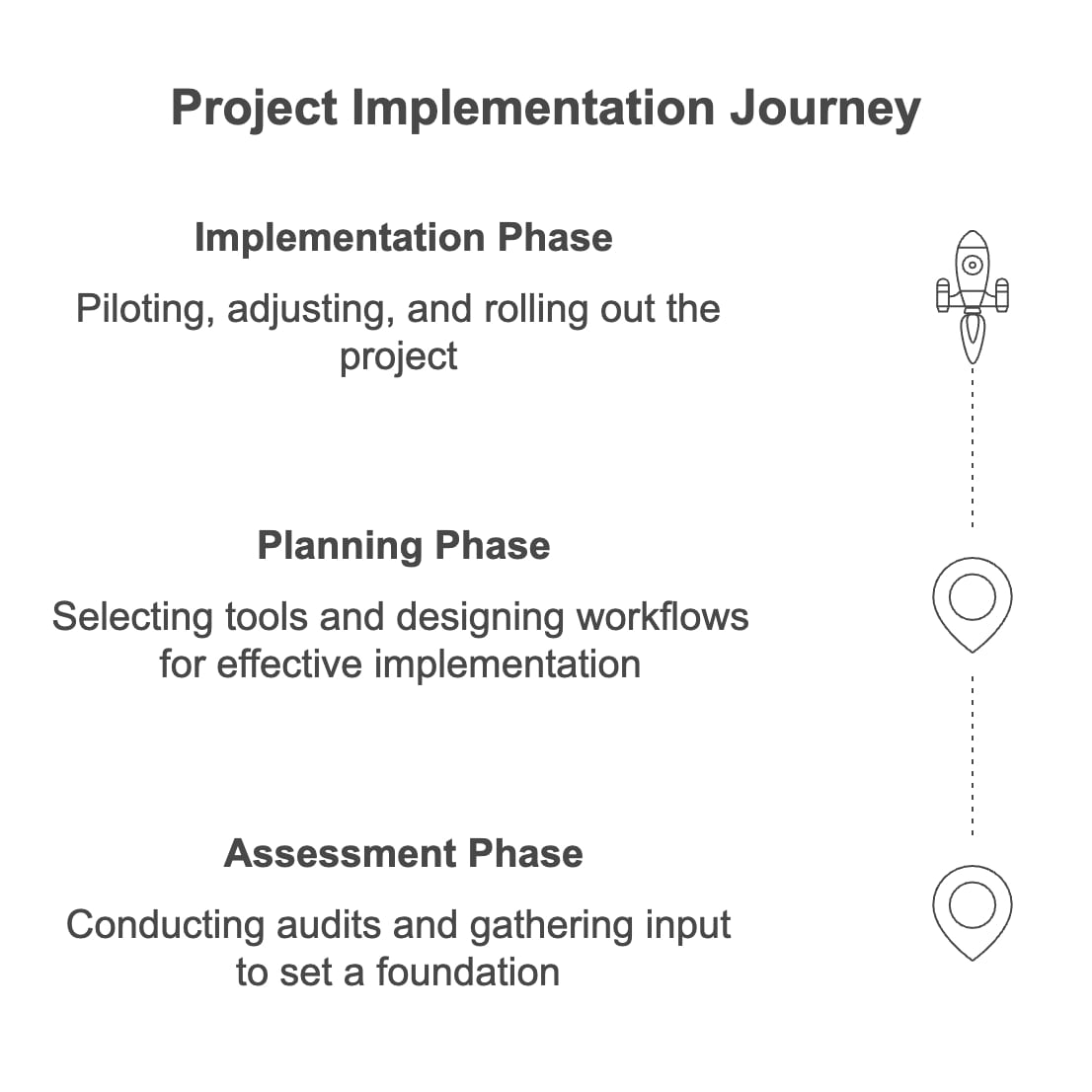
Assessment Phase (Weeks 1-2)

  • Audit existing processes
  • Gather stakeholder input
  • Document requirements
  • Set baseline metrics

Planning Phase (Weeks 3-4)

  • Select appropriate tools
  • Design workflow logic
  • Create implementation timeline
  • Develop training materials

Implementation Phase (Weeks 5-8)

  • Start with pilot group
  • Gather feedback
  • Make adjustments
  • Roll out gradually

A visual representation of the steps involved in project implementation, showcasing planning, execution, and evaluation phases.

📌 Pro Tip:
I always recommend starting with a small pilot group before full deployment. This approach helps identify and resolve issues early in the process.

Final Thoughts

Conditional logic forms represent a crucial step forward in HR process optimization. The organizations that embrace this technology now will be better positioned for future success.

Remember, this is not just about digitizing forms – it's about creating an intelligent, responsive onboarding experience that sets both your organization and your new hires up for success.

Frequently asked questions

These are the most common questions about conditional logic forms in HR onboarding:

What exactly is conditional logic in HR onboarding forms?

Conditional logic in forms creates dynamic pathways that show or hide questions based on previous responses. For example, if an employee selects "remote worker," they'll see questions about home office setup, while office-based employees will see questions about parking and building access.

How much time can conditional logic forms save in the onboarding process?

📊 Statistics Alert: Recent data shows that companies using automated onboarding solutions save an average of 50% in processing time (Gartner, 2025).

What's the typical implementation timeline for conditional logic forms?

💡 Expert Insight: A typical timeline is:

  • Small organizations (>100 employees): 4-6 weeks
  • Mid-sized organizations (100-1000 employees): 6-8 weeks
  • Large organizations (1000+ employees): 8-12 weeks

How much technical expertise is required to maintain these forms?

Most modern platforms offer user-friendly interfaces that HR teams can manage with minimal technical knowledge. However, I always recommend having at least one team member receive advanced training for complex modifications.

What's the typical return on investment (ROI) for implementing conditional logic forms?

⚠️ Warning:
ROI can vary significantly based on current processes and implementation quality.

Can conditional logic forms integrate with existing HR systems?

Yes. These forms are commonly integrated with:

  • HRIS platforms
  • Applicant Tracking Systems
  • Payroll systems
  • Document management systems
  • Learning Management Systems

What about data security and compliance?

📌 Pro Tip:
Modern conditional logic platforms include:

  • End-to-end encryption
  • GDPR compliance features
  • CCPA compliance tools
  • Role-based access control
  • Audit trail capabilities

What are the most common implementation challenges?

The main challenges include:

  1. Process mapping complexity
  2. User adoption
  3. Integration with legacy systems
  4. Data migration
  5. Compliance requirements

How do you handle multiple languages in conditional logic forms?

Most modern platforms support:

  • Multi-language form creation
  • Automatic translation
  • Language-specific routing
  • Regional compliance variations

How often should conditional logic rules be updated?

I recommend:

  • Monthly review of form completion rates
  • Quarterly logic rule updates
  • Semi-annual compliance review
  • Annual comprehensive audit

What ongoing support is typically needed?

Successful implementations usually require:

  • Regular user training
  • System monitoring
  • Performance optimization
  • Compliance updates
  • Technical support

How will AI impact conditional logic forms in the future?

💡 Expert Insight:
Developments are under way in:

  • Predictive form filling
  • Natural language processing
  • Automated compliance checking
  • Machine learning optimizations
  • Intelligent routing systems

References

  1. HR forms operates on a fundamental "if-then" principlecommunity.dynamics.com
  2. What most effective hr technology implementation mjfaflinkedin.com · cited for “HR technology implementation”
  3. Softr build an employee onboarding form with activity 7194669820905222145 IM rlinkedin.com · cited for “conditional logic forms to create a seamless onboarding experience.”
  4. How analytics and smart routing help to maximize inbound call efficiencynobelbiz.com · cited for “Intelligent routing is crucial for maximizing efficiency gains.”

Your next form starts as a blank sheet.

No card, no trial clock. Write the first question and see.