Embed forms on Wordpress
Put a form on a WordPress page with a Custom HTML block and the Standard snippet from the Share tab. No plugin is involved.
The snippet contains a script tag. A self-hosted WordPress install runs it as pasted; on hosted WordPress.com, only plans that allow custom code and plugins will keep it. Check your plan before you start.
There is no WordPress plugin for Tinyform, and none is needed: the embed is a few lines of HTML that WordPress's editor accepts in a Custom HTML block.
Publish the form
Build it at/forms/<id>/editand clickPublish.Open the Standard embed
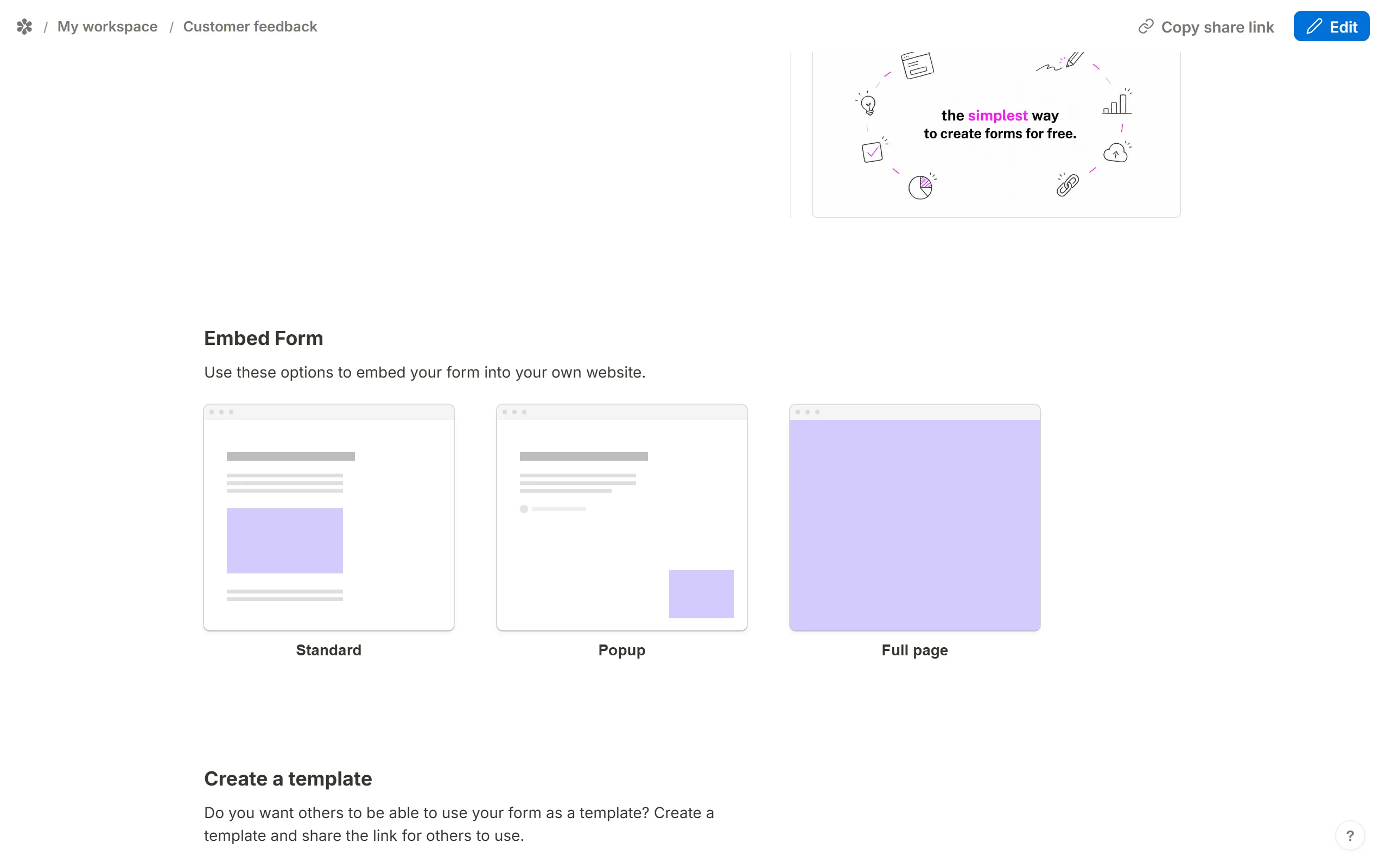
Go to theSharetab and, underEmbed Form, chooseStandard.
Set the options
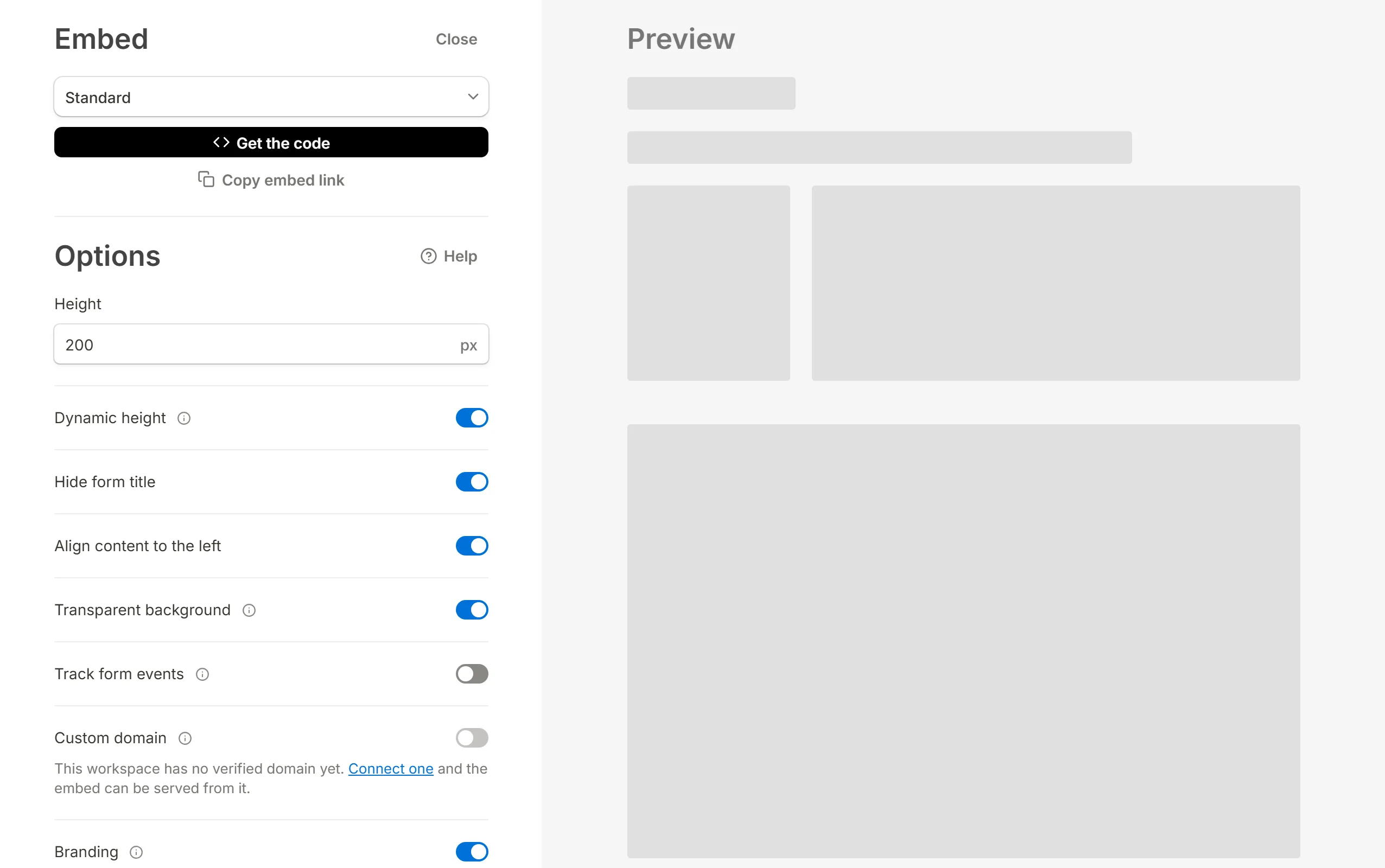
Adjust the switches; Embed your form explains what each one does. In a page that already has a heading and a background, the defaults (Dynamic height,Hide form title,Align content to the leftandTransparent backgroundall on) are usually right.
Copy the code
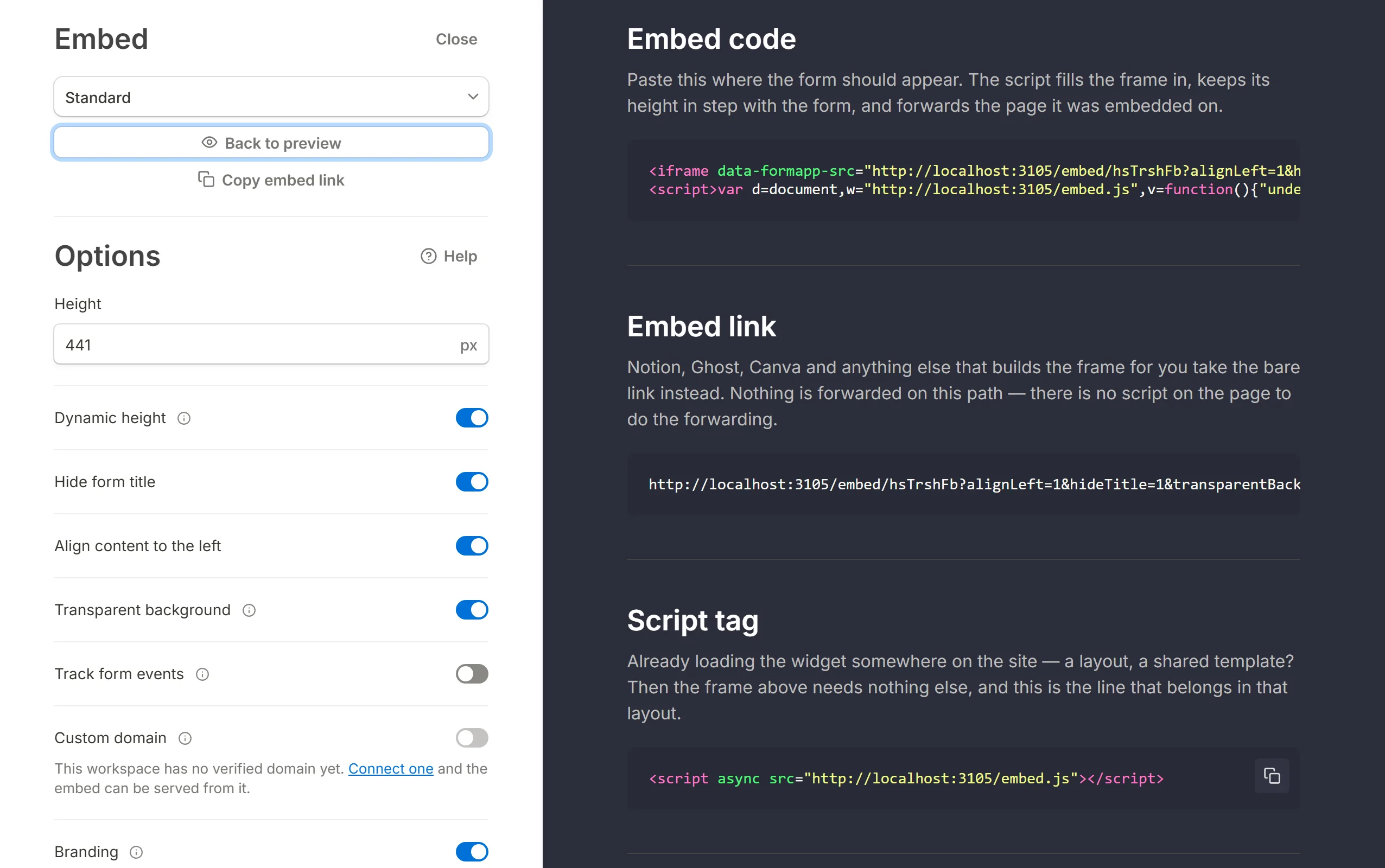
ClickGet the codeand copy the snippet underEmbed code.
Add a Custom HTML block
In the WordPress editor, insert a Custom HTML block where the form should appear. A paragraph block will not do: it escapes the markup and shows the code as text.Paste
Paste the snippet into the block and update the page. The form is live.
A popup works on the same page. Choose
Popup under Embed Form instead; the code pane gives you the script tag and a button carrying the popup's settings, and the widget draws its own floating button with an emoji bubble and loads the form in a panel over the page. Popup forms covers the triggers and the position.Back to Embed guides.